
Amazon Promo Codes and Coupon Codes
Copy a working Amazon promo code, open the deal and paste it at checkout. Sorted by biggest discount first. Want products instead of codes? Browse today's price drops and new deals.
2,260 live codes · up to 97% off · newest added Oct 22, 2026, 7:16 pm ET
As an affiliate partner, we earn from qualifying purchases made through links on this page. #ad
- 1Copy the code Tap the code button on a card
- 2Open the deal Add the item to your cart on Amazon
- 3Paste at checkout Use the promo code box, then apply
Codes ending soon
These end within 48 hours. Grab them first.


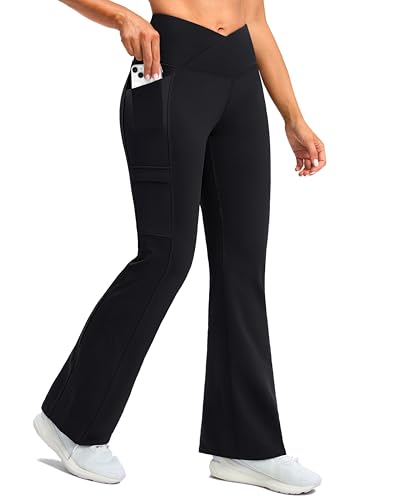


GRECERELLE Soft Workout Tops for Women Crossover Back Cotton Athletic Shirt


Mini Projector, Nasin Portable Projector with WiFi, Bluetooth, 1080P Input


HojaSana Vitamin D3 K2 5000IU 100mcg MK-7 for Bone, Immune & Heart Support


Get the free Black Friday 2026 Deal Planner
Key dates, a wish list price tracker and a fake deal checklist, sent to your inbox. Plus our best Amazon deals by email.
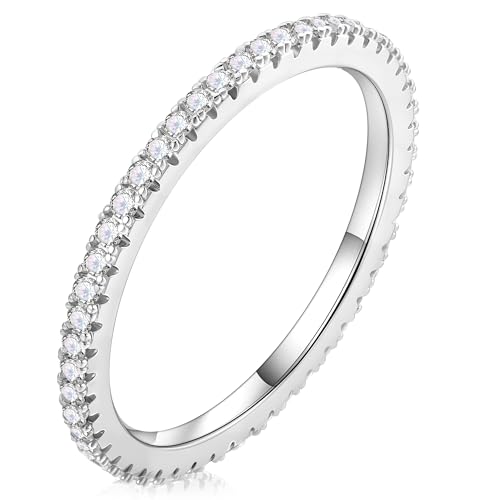
MOOSEA Anniversary Rings for Women, 925 Sterling Silver Moissanite Ring


SVBONY SVGo M3 Mini Action Camera 4K Hands-Free POVs Wearable Camera(64GB)



Showing 24 of 2,260 codes
Promo codes by category
How Amazon promo codes work
An Amazon promo code is a short string of letters and numbers that a seller or brand sets up for one product or a small group of products. You paste it into the promo box at checkout, and Amazon takes the discount off before you pay. That is different from a clip coupon, where you tick a box on the product page and the savings apply on their own. Both are common, and a single listing may use either one, so it helps to know which kind you are looking at.
Every code on this page comes with a product, the price you pay after the code, and an end date when the listing gives one. The percent off sits next to that price so you can compare codes at a glance. The page is sorted by biggest discount by default, because that is what most people want first when they search for a code. Codes that end within 48 hours get their own row near the top, and you can switch the sort to newest, lowest price or most popular at any time.
What a code can and cannot do
Most codes apply to the specific product they are listed with, not to your whole cart. Some are limited to one size or color, some run out when the seller's quantity is used up, and some allow only one use per customer. The terms are shown on the Amazon product page, and they win over anything summarized here. We cannot see your cart or your account, so we cannot promise that a code will apply to every order. The price shown at Amazon checkout is the one that counts.
Why a code sometimes does not work
- It ended. Check the time left on the card. Codes can end at any hour of the day.
- The seller's limit is used up. Popular codes can run out before the end date.
- Wrong variation. A code for the black one may not apply to the white one. Open the exact size and color from the deal link.
- A typo. A pasted code with a space at the end is a classic. Use the copy button instead of typing it.
- The item is in your cart from another seller. Use the deal link so the same seller and listing are selected.
Getting more from each code
Look at the price after the code, not only the percent. A 30 percent code on a high list price can still cost more than a 20 percent code on a fairly priced item. If a product page shows a clip coupon as well, our guide on how to stack Amazon coupons and promotions explains what to check, and the coupon stacking calculator works out the final price when two percentages apply.
Short on time? Start with the codes ending soon, the codes at 50% off or more, or the deals under $10. Save the ones you like in the free Daily Coupons app and it reminds you before they expire.
Codes or deals: which page do you need?
This page is for codes you copy and paste. If you would rather browse products that just got cheaper or were newly discounted, with or without a code, open today's Amazon deals or go straight to the latest price drops. Those pages are sorted newest first, so they are the better place to see what changed today.
How we are paid
Today Coupon List earns a commission from Amazon on qualifying purchases made through our links. It does not change the price you pay or the code you use. You can read more on our affiliate disclosure page.
Amazon promo code questions
Where do I enter an Amazon promo code?
Add the item to your cart and start checkout. On the payment step, Amazon has a box for gift cards and promo codes. Paste the code there and apply it, then check that the discount shows in your order summary before you place the order.
Can Amazon promo codes stack?
It depends on the listing. A promo code and a clip coupon on the same product page can sometimes both apply, but each seller sets its own terms, and two promo codes on one item usually will not combine. The order summary shows exactly which discounts Amazon applied, so check it before you pay.
What is the difference between a promo code and a coupon?
A promo code is typed or pasted at checkout. A clip coupon is a box you tick on the product page, and the savings apply by themselves. Both lower the price, and some products offer one or the other.
Why does my code say it is not valid or not applicable?
The most common reasons are an expired end date, a seller limit that has already been used up, a different size or color than the one the code covers, or a typo such as a space at the end of the pasted code. Try another listing from this page if it still fails.
How often is this page updated?
Codes are added as they come in, and a code leaves this page once its end date passes. The line near the top shows when the newest code was added.
Do I have to pay or sign up to copy a code?
No. Copying a code is free and needs no account. We earn a commission from Amazon when you buy through our links, at no extra cost to you.